What Is an Auracast Assistant and Why Does It Matter for Hearing Aid Users?
Auracast is one of the most significant advances in hearing aid connectivity in years. But knowing your hearing aids support Auracast and actually being able to use it in the real world are two different things. That gap is exactly what an Auracast Assistant solves.
This post explains what an Auracast Assistant is, why it matters, and what we discovered when we tested it in our clinic using two different hearing aid brands simultaneously. That last part surprised us, and it will likely surprise you too.
A Quick Auracast Refresher
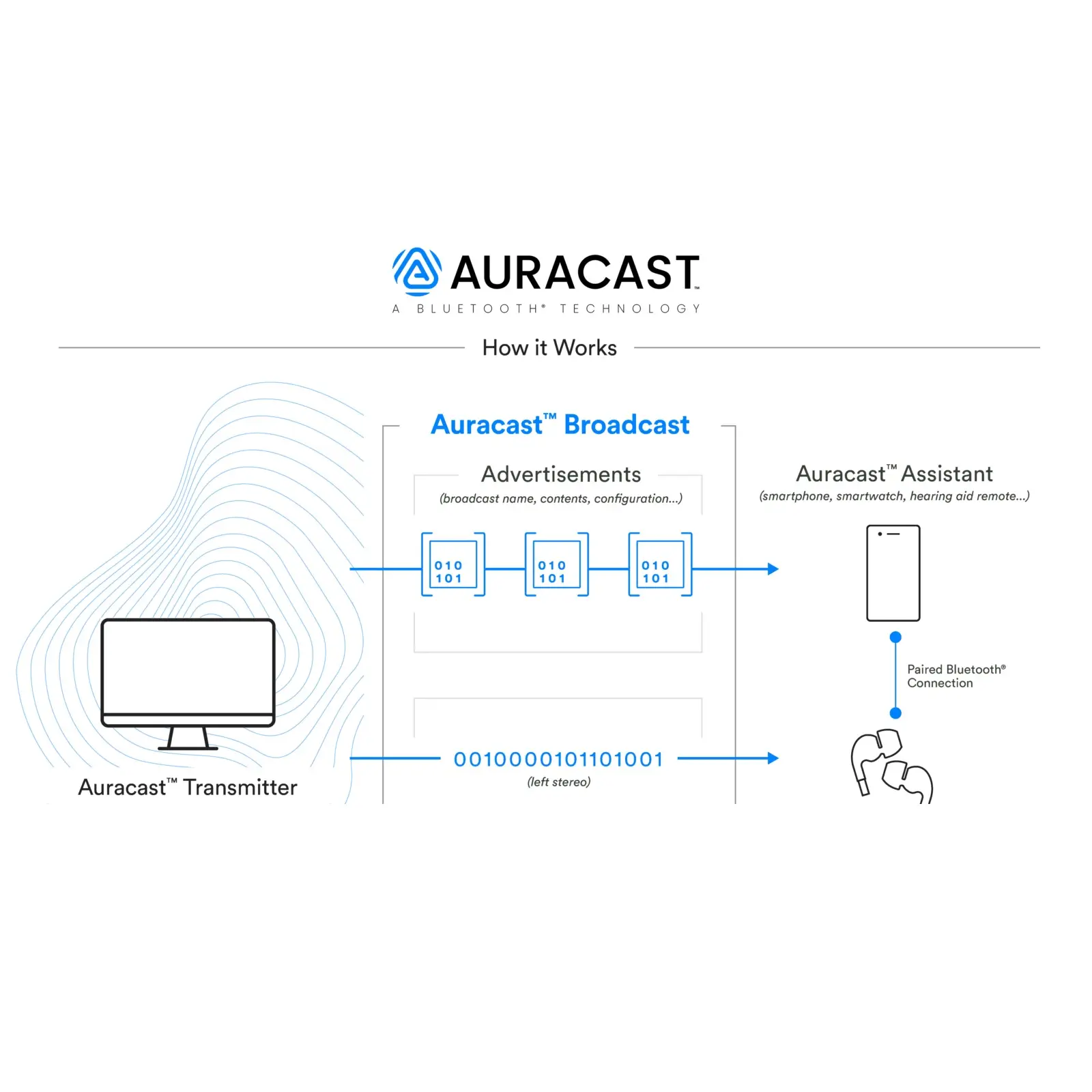
Auracast is a Bluetooth LE Audio broadcast technology that transforms how sound is shared and accessed from public audio sources. Instead of the traditional Bluetooth pair-and-connect model (one transmitter, one receiver), Auracast works like a public audio broadcast: one transmitter streams audio to unlimited compatible receivers simultaneously, without any of them needing to pair to the source.
For hearing aid users this means direct access to audio from public systems, TVs, classroom microphones, and airport PA systems, eliminating the barriers of poor room acoustics and the limited legacy induction loop infrastructure that was never as widely adopted as hoped.
What Is an Auracast Assistant, Exactly?
At its core, an Auracast Assistant is a software interface that helps you discover, join, and manage Auracast audio streams. The analogy that works best: it is similar to how your phone helps you find and connect to Wi-Fi networks. Without that interface, the technology exists but is not accessible to ordinary users.
An Auracast Assistant does three specific things:
- Scans for nearby Auracast broadcasts: checks for transmitters broadcasting Auracast audio in your environment.
- Lets you choose your stream: presents available audio feeds, a TV broadcast, a public announcement system, a classroom microphone, and lets you select the one you want.
- Manages audio and device controls: lets you start and stop the stream, switch between available languages if the broadcast supports multiple, and adjust volume or hearing aid settings tied to the broadcast.
In most current implementations, the Auracast Assistant is not a separate gadget. It is built directly into the hearing aid manufacturer’s companion app. ReSound was first with a dedicated Auracast Assistant in their Smart 3D app. Starkey followed with their own assistant in the My Starkey app.
Why Is an Auracast Assistant Necessary Right Now?
If Auracast is a broadcast technology, why can’t hearing aids simply tune in automatically the way a radio finds stations? The honest answer is that Auracast is still early in its adoption curve, and several pieces of the ecosystem need to be in place simultaneously for native discovery to work seamlessly:
- Phones need updated Bluetooth LE Audio support
- Operating systems need Auracast discovery menus built in
- Public venues need to install Auracast transmitters
- Hearing aids need compatible hardware and activated firmware
We are in the transition phase where some of those pieces are in place, and others are not yet. An Auracast Assistant fills the usability gap, making the technology accessible now rather than requiring users to wait for the full ecosystem to mature.
Think of it this way: native Auracast is the universal door into broadcast audio. Auracast Assistants are the key that opens it now, before every venue and every operating system has native support built in.
Auracast Assistants in Hearing Aids: ReSound and Starkey
ReSound: The First Dedicated Auracast Assistant for Hearing Aids
ReSound integrated an Auracast Assistant directly into their Smart 3D app, making it the world’s first Auracast Assistant built specifically for hearing aids. With the ReSound assistant, users can scan for available broadcasts, select their preferred audio feed, connect with a single tap, and enjoy direct audio in their hearing aids even when their phone does not natively show Auracast options.
Compatible models: ReSound Vivia, ReSound Savi, ReSound Nexia, and other ReSound models that support LE Audio and Auracast. [LINK to ReSound review when written]
Starkey: Auracast Assistant in the My Starkey App
Starkey introduced their own Auracast Assistant within the My Starkey app as part of the Omega AI platform enhancements. The Starkey assistant lets users tune into Auracast broadcasts directly, start and stop streams from the app, adjust the balance between streamed audio and the hearing aid microphones (so you can still hear people speaking to you while streaming), and select alternate languages when the broadcast supports them.
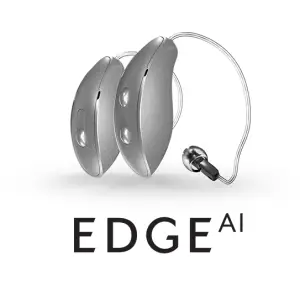
Compatible models: Starkey Omega AI and Edge AI.
What We Discovered in Our Clinic: Brand-Agnostic Auracast Streaming
This is the part that genuinely surprised us, and it demonstrates why Auracast is a fundamentally different technology from everything that came before it.
Traditionally, hearing aid TV streamers are locked to a single brand. A ReSound TV streamer works with ReSound hearing aids. A Starkey streamer works with Starkey hearing aids. Mixing brands was simply not possible, you needed to match the manufacturer across every component of your system.
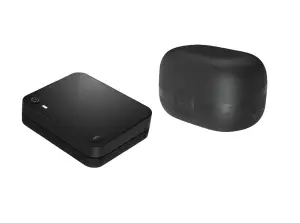
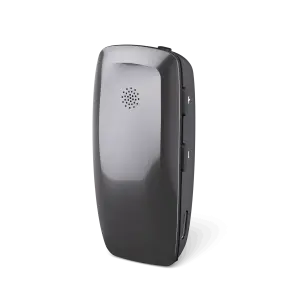
We recently tested a Starkey Edge TV Streamer in our clinic to see how flexible Auracast actually is in practice. The setup: one listener wearing Starkey Edge AI hearing aids, and another wearing ReSound Nexia hearing aids, two entirely different manufacturers.
We streamed TV audio through the Starkey Edge TV Streamer. The Starkey Edge AI user connected as expected. Then we opened the Auracast Assistant inside the ReSound Smart 3D app, scanned for available Auracast broadcasts, located the Starkey Edge TV Streamer, entered the streamer’s unique Auracast code, and connected.
The TV audio streamed simultaneously to both pairs of hearing aids. Different brands. Same audio source. At the same time.
This is something that has never been possible in hearing care before.
The implications are significant:
- Brand-agnostic streaming: audio is no longer locked to one manufacturer’s ecosystem. A venue installs one Auracast transmitter and every compatible hearing aid user in the room benefits, regardless of brand.
- Shared listening experiences: multiple people with different hearing aids can listen to the same audio source simultaneously, at their own individual preferred volumes.
- Freedom from proprietary accessories: patients are no longer constrained by which brand’s accessories work with their devices. As Auracast infrastructure grows, every compatible hearing aid connects.
Want to experience Auracast with your current hearing aids? Contact our team, if your devices are Auracast-enabled or Auracast-ready, we can help you understand how to use it and what accessories or app setup you need.
Even When Auracast Becomes Native, the Assistant Still Matters
As operating systems and phones add native Auracast discovery, the need for an assistant as a bridge will diminish. But hearing-aid-specific Auracast Assistants will remain valuable even then, because they can offer capabilities that generic OS-level Auracast menus cannot:
- Custom hearing-specific audio controls: balance between the streamed signal and your hearing aid microphones
- Memory for preferred venues or streams you have connected to before
- Integration with your hearing aid’s existing programs and settings
- Accessibility shortcuts designed for hearing aid users specifically
The native Auracast interface will get you into the broadcast. The Auracast Assistant will optimize how it sounds for your specific hearing loss.
Ready to Experience Auracast?
For a complete overview of Auracast technology, which brands have it activated, and how to know if your hearing aids qualify, see our full Auracast guide. For a brand-by-brand Bluetooth comparison, see our connectivity guide.
If you want help understanding what your specific hearing aids can do with Auracast today, reach out to our team.
Frequently Asked Questions: Auracast Assistants
What is an Auracast Assistant?
An Auracast Assistant is a software interface, typically built into a hearing aid’s companion app, that helps users find and connect to nearby Auracast audio broadcasts. It scans for available transmitters, lets you choose which audio stream to join, and manages controls like volume, language selection, and mic balance during streaming. Without an assistant, even Auracast-capable hearing aids may have no easy way to discover and join broadcasts in the current early-adoption environment.
Which hearing aid apps have an Auracast Assistant?
Currently, ReSound’s Smart 3D app and Starkey’s My Starkey app both include dedicated Auracast Assistants. ReSound’s is marketed as the world’s first Auracast Assistant built specifically for hearing aids. Starkey’s assistant was introduced with the Omega AI platform. Both allow users to scan, select, and connect to Auracast broadcasts directly from within the hearing aid app.
Can Auracast work across different hearing aid brands?
Yes, and this is one of Auracast’s most significant advantages over previous Bluetooth streaming. In our clinic, we successfully streamed TV audio from a Starkey Edge TV Streamer simultaneously to Starkey Edge AI hearing aids and ReSound Nexia hearing aids using the ReSound Auracast Assistant. This cross-brand streaming was impossible with traditional proprietary Bluetooth audio systems and represents a fundamental shift in how hearing aid connectivity works.
Do I need an Auracast Assistant to use Auracast?
In most current situations, yes. Native Auracast discovery requires phones, operating systems, and public venues all to have Auracast support built in simultaneously. We are still in the transition phase, where not all of those pieces are in place. An Auracast Assistant in your hearing aid app bridges that gap, letting you access Auracast broadcasts now even when native OS-level support is not available.
Which hearing aids support Auracast and the Auracast Assistant?
Hearing aids with fully activated Auracast include ReSound Vivia, Nexia, and Savi (all with ReSound’s Auracast Assistant in Smart 3D); Starkey Omega AI and Edge AI (with Starkey’s Auracast Assistant in My Starkey); and Oticon Intent and Zeal; Jabra Enhance Pro 20 and 30. For a complete current list of Auracast-enabled and Auracast-ready hearing aids, see our full Auracast guide.
Will Auracast Assistants still matter once phones support Auracast natively?
Yes, though their role will shift. Even with native OS-level Auracast discovery, hearing-aid-specific assistants will add value through hearing-specific features: balancing streamed audio against hearing aid microphones, remembering preferred venues, integrating with existing hearing programs, and providing accessibility shortcuts designed for hearing aid users. The native interface gets you into the broadcast; the assistant optimizes how it sounds for your specific hearing loss.